Google Business Profile Video Verification: A Fort Wayne Guide
Google’s video verification is trending — and so are scare headlines. Here’s what Google actually requires, how Fort Wayne service businesses pass it, and what the rumors get wrong.
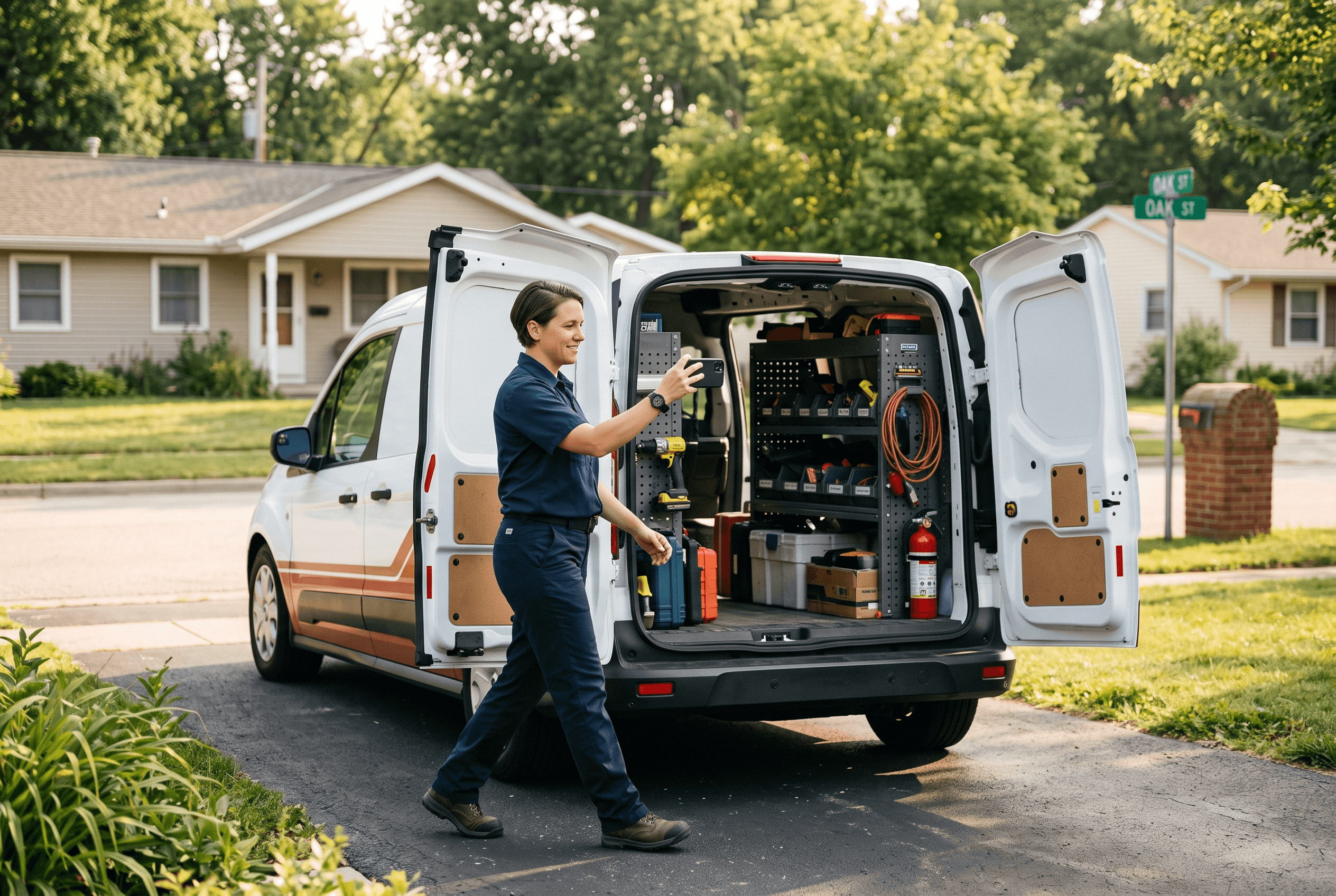
If you’ve tried to claim or re-verify a Google Business Profile lately, there’s a decent chance Google asked you for something that feels strange the first time: video verification — a live video walkthrough of your business, recorded on your phone. And if you went searching for help, you probably ran into headlines claiming Google "killed the postcard" on July 3, 2026 and that video is now mandatory for everyone — verify or vanish.
Take a breath. Most of that is secondary-source urgency, not Google policy. Google’s own documentation still lists five verification methods, and its official changelog shows no June or July announcement eliminating any of them.3 What is true: Google decides which method you get, you can’t change it, and for a lot of local businesses — especially the HVAC techs, plumbers, and cleaning crews across Allen County who work out of a truck instead of a storefront — video is increasingly what Google serves up. If your profile isn’t verified, you don’t show up on Maps when a neighbor searches "furnace repair near me." That’s the part worth taking seriously, and it’s why verification sits at the foundation of our complete guide to online reviews and reputation for Fort Wayne businesses.
This guide covers what Google actually requires, word for word from its own help pages — and how to pass video verification on the first try.
Key takeaways:
- Google lists five verification methods — video recording, phone/SMS, email, live video call, and postcard — and Google alone decides which ones your business is offered.
- Despite viral posts, Google’s official changelog shows no May–July 2026 policy change eliminating postcard verification or making video mandatory for all businesses.
- A verification video must be at least 30 seconds, recorded live on your phone in one unedited take — pre-recorded uploads aren’t allowed.
- Your video needs three things: proof of location, proof of operations, and proof you’re authorized to manage the business.
- Service-area businesses (no storefront) can verify with tools, equipment, branded vehicles, and paperwork like a business permit or utility bill.
- Review takes up to 5 business days, and you can delete your verification video from Google at any time afterward.
Did Google Really Eliminate Postcard Verification in July 2026?
No — at least, not according to Google. This rumor spread fast in early July, so it’s worth unpacking where it came from and what the record actually shows.
Several marketing blogs published posts claiming that as of July 3, 2026, Google replaced postcard verification with mandatory video verification, with temporary suspension from Search and Maps as the penalty. One example is Wilson Alvarez’s verification overhaul post, which states the July 3 deadline plainly — but cites no Google announcement, links to no Google documentation, and carries a footer disclaimer that the content was developed with AI assistance.4 A similar article from FOG Digital Marketing claims thousands of U.S. listings were suspended starting in late April 2026, with home-services businesses hit hardest — again with no primary source attached.5
Here’s what Google’s own record shows instead. The official verification methods page still lists five options: video recording, phone or SMS, email, live video call, and mail (postcard) — and states that "verification methods are automatically determined by Google and can’t be changed."2 Meanwhile, Google’s developer changelog for Business Profile — the running log of every platform change — shows entries about review data and post scheduling through July 2026, and nothing at all about verification policy.3
So the honest version is this: video verification is real, it’s increasingly the method Google assigns (particularly to service-area businesses and newly claimed profiles), and you should know how to pass it. But you don’t need to panic-record a video today because a blog post gave you a deadline Google never announced. In our experience, the businesses that get burned here are the ones who rush a sloppy video under false urgency, get rejected, and then sit unverified for weeks.

What Does Google’s Video Verification Actually Require?
Google’s video verification help page is specific about both the format and the content, and most rejections trace back to missing one of its requirements.1
Format rules, straight from Google:
- The video must be at least 30 seconds long.
- It must be an unedited, unique, and complete recording with no breaks — one continuous take.
- It must be recorded live on your mobile device during the verification flow; pre-recorded videos aren’t allowed.
- It must not show bank account, tax, or ID numbers — and it must not show other people’s faces.
Content rules — your video needs to prove three things:
- Location. Show context that places you at your business address: street signs, building numbers, nearby businesses, or familiar landmarks.
- Operations. Show the business itself: your storefront, showroom, or signage with the business name on a permanent fixture — or, for service businesses, your professional tools, equipment, or workspace.
- Management access. Prove you’re authorized to act for this business: open the cash register, unlock the storage room, use the point-of-sale system, or show business-only paperwork.
How you satisfy those three differs by business type, and Google decides which method you’re offered based on "your business type, public info, region, or business hours."2 Here’s the full menu of methods and what each involves:
| Verification method | What it involves | Timeline notes (per Google) |
|---|---|---|
| Video recording | Live 30+ second walkthrough proving location, operations, and management access | Review takes up to 5 business days |
| Phone or SMS | Code delivered by call or text | Codes expire after 30 days |
| Code sent to a business email | Codes expire after 30 days | |
| Live video call | Real-time call with a Google representative | Only available during your business hours |
| Mail (postcard) | Code mailed to your business address | Most codes arrive within 14 days |
You don’t get to pick from this table — Google assigns what it assigns. But knowing the landscape keeps you from being sold a panic narrative about any single method.
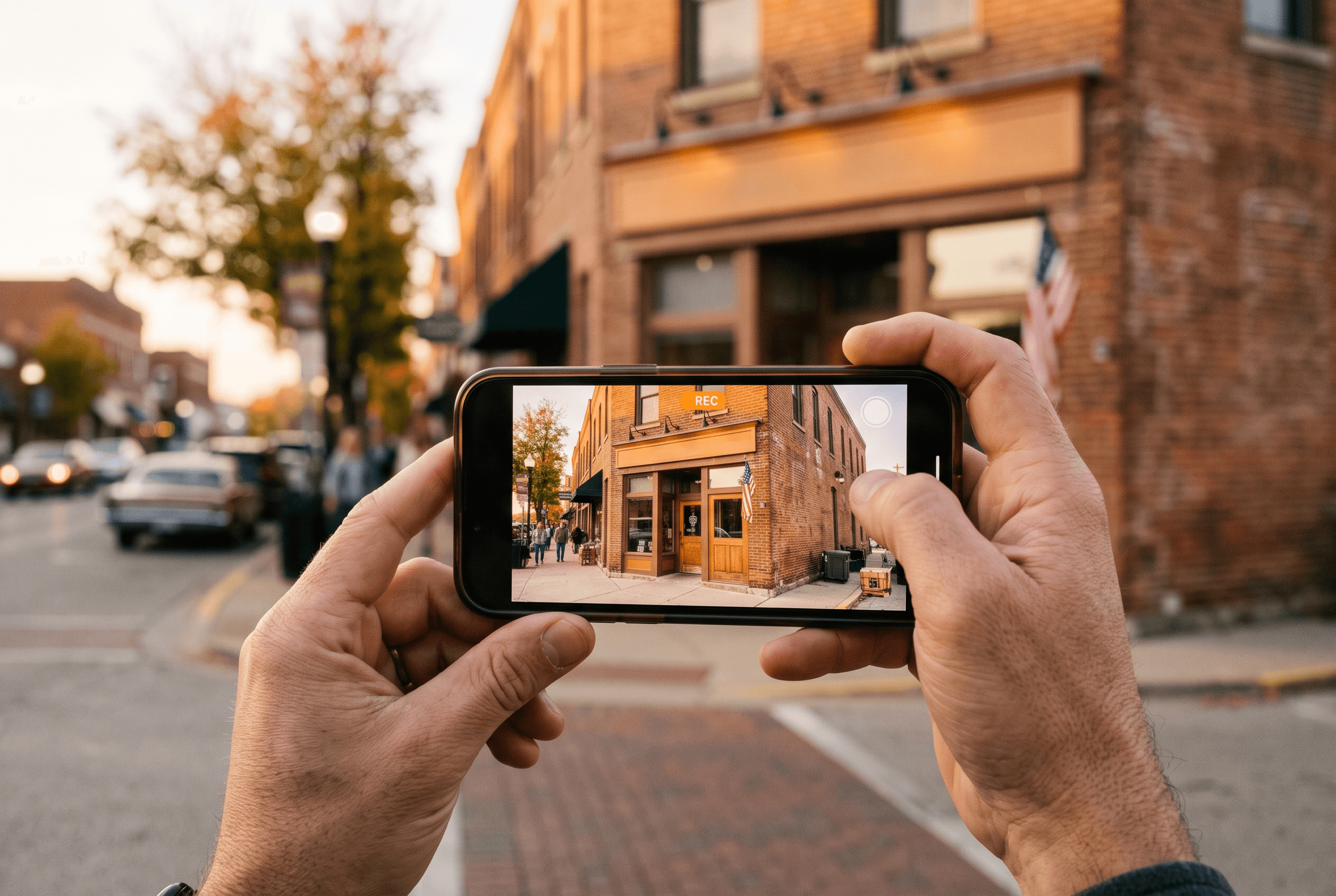
How Do Service-Area Businesses Pass Video Verification Without a Storefront?
This is the question that matters most in Northeast Indiana, where a huge share of local businesses — HVAC, plumbing, electrical, lawn care, cleaning, mobile detailing — are service-area businesses (SABs) that work from a home base and a truck, not a showroom with a sign. It’s also exactly the situation where owners freeze up: "The video has to show my storefront... I don’t have one."
Google’s video verification page addresses SABs directly. Instead of storefront signage, your video should show:1
- Street signs, nearby landmarks, or other identifiers at your business address — enough to confirm you’re really based where the profile says you are.
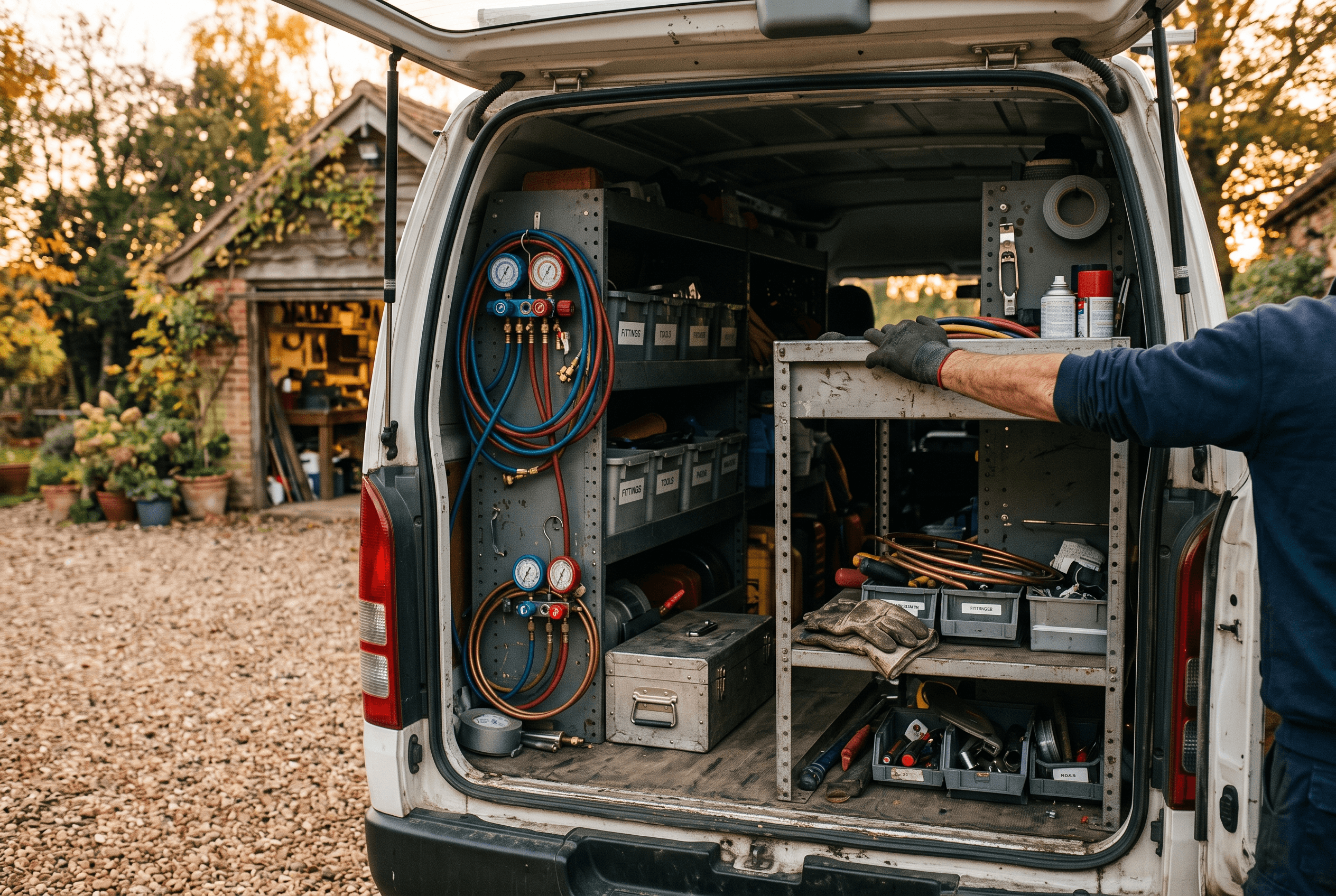
- Professional tools, equipment, or products — specialized machinery, your workspace, your tools. For an Auburn furnace tech, that’s the gauges, recovery machine, and stocked shelves in the garage or the van.
- Proof you’re authorized to run the business — either by performing a service or accessing business-only assets, or by showing a business permit, invoice, or utility bill.
A practical 60-second walkthrough for a Fort Wayne HVAC operator might look like: start at the end of the driveway showing the street sign, walk to the branded van, open the back to show the equipment racks, then step into the garage workspace and hold up (without showing tax or ID numbers) a business utility bill or a recent customer invoice. One take, no cuts, phone in hand.
Two cautions worth stating plainly. First, keep family members and helpers out of frame — Google explicitly disallows other people’s faces in the video.1 Second, don’t show sensitive paperwork details; an invoice header with your business name is proof enough. And remember that verifying with your home address doesn’t put your home address on Maps — SAB profiles display a service area, which is part of how the Google Map Pack works in Allen County in the first place.
What Happens After You Submit — and What If You’re Rejected?
Once you submit the video, Google says the verification review can take up to 5 business days.2 Two outcomes: you’re verified, or you’re rejected with reasons provided — and you can resubmit after fixing what they flagged.1
If you’re rejected, don’t treat it as a black box. The most common self-inflicted failures line up with Google’s format rules: videos under 30 seconds, edited or stitched clips instead of one continuous take, uploads that weren’t recorded live in the verification flow, and business names on the profile that don’t match what’s visible in the video. (Secondary sources like FOG Digital’s guide list the same culprits from the agency trenches — mismatched signage and edited clips chief among them — though those lists are practitioner observations, not Google documentation.)5
One more detail owners ask about constantly, and it’s a fair privacy question: what happens to the footage? Per Google, you can delete your verification video at any time through your Business Profile settings after the process completes.1 You’re not leaving a permanent walkthrough of your garage on someone’s server as the price of showing up on Maps.
While you wait on review, resist the urge to re-edit the profile. Get your post-verification checklist ready instead: complete every profile field, load real photos, and have a system for responding to reviews — including the negative ones, because an empty verified profile is only marginally better than an unverified one.
What’s at Stake for Fort Wayne and Allen County Businesses?
Verification isn’t paperwork for its own sake — it’s the gate between your business and every "near me" search in your service area. An unverified profile doesn’t rank poorly in the Map Pack; it doesn’t appear at all. When a New Haven homeowner searches "furnace repair near me" in January, or a Huntertown family searches "emergency plumber," the three businesses in that map box are all verified. The competitor who did a 60-second phone video in March is now answering calls you never knew existed.
The stakes are compounding, too. Verified-profile data — your categories, services, reviews, hours, service area — is exactly what AI-powered search leans on when it names specific businesses. When someone asks an AI assistant for "a good HVAC company in Fort Wayne," being a complete, verified, well-reviewed profile is table stakes for being the business the answer names. That’s the connective tissue between basic verification and answer engine optimization — the unglamorous groundwork comes first.
Our honest take: most Fort Wayne owners do not need to pay anyone just to get verified. If Google offers you video verification, the walkthrough above is genuinely a do-it-yourself job. Where it makes sense to get help is everything after — keeping the profile complete, reviews answered, and rankings tracked month over month.
Want Your Profile Verified, Complete, and Actually Winning Local Searches?
If your listing is stuck unverified, suspended, or just underperforming, we’ll sort out the verification, then build the profile into something that earns calls. Our reputation management service handles Google Business Profile optimization, review generation, and response management for Northeast Indiana businesses, and our local SEO service covers the ranking work around it. Tell us what’s going on with your listing and you’ll get a straight answer — including when the fix is a 60-second video you can record yourself this afternoon.
Fort Wayne AI Agency service
Reputation Management
Build and protect your online reputation.
Learn moreFrequently Asked Questions
Can I choose which verification method Google gives me?
No. Google states that verification methods are automatically determined and can’t be changed. The options you see depend on your business type, public information, region, and business hours. If video is what you’re offered, the fastest path is to do the video well rather than hunt for a workaround.
How long does Google video verification take in 2026?
Per Google’s documentation, verification review takes up to 5 business days after you submit the video. If it’s rejected, Google provides reasons and you can resubmit after addressing them, which restarts the review clock — one more reason to get the first take right.
What should my video verification show if my Fort Wayne business runs out of a truck, not a storefront?
Google’s requirements for service-area businesses are: identifiers at your business address (street signs or nearby landmarks), your professional tools and equipment, and proof of authorization — performing a service, accessing business-only assets, or showing a business permit, invoice, or utility bill. Keep it one continuous take of at least 30 seconds, with no other people’s faces and no visible tax or ID numbers.
Does Google keep my verification video forever?
No. Google’s help documentation says you can delete your verification video at any time through your Business Profile settings once verification is complete. The video is used to confirm your business is legitimate and located where you say it is — it never appears on your public profile.
Is postcard verification really gone as of July 2026?
Google’s official verification-methods page still lists mail (postcard) as one of five methods, and its developer changelog shows no May–July 2026 announcement removing it. Claims of a hard July 3, 2026 cutoff come from unsourced marketing blogs. What’s real is that Google assigns methods per business, and video is increasingly common — so it’s worth knowing how to pass it either way.
Sources & Further Reading
- Google Business Profile Help: support.google.com/business/answer/14271705?hl=en · Verify your business with a video recording
- Google Business Profile Help: support.google.com/business/answer/7107242?hl=en · Verification methods for Google Business Profile
- Google for Developers: developers.google.com/my-business/content/latest-updates · Latest updates — Google Business Profile APIs
- Wilson Alvarez: wilsonalvarez.com/it-tech/google-business-profile-verification-overhaul-july-2026 · Google Business Profile Verification Overhaul July 2026 (2026)
- FOG Digital Marketing: fogdigitalmarketing.com/blog/gbp-video-verification · GBP Video Verification (2026)
Put this to work in your business
Want help with this in your business?
Tell us what you're working on — a real person in Fort Wayne replies within one business day.