12 Tasks Fort Wayne Businesses Should Automate First (HVAC, Dental, Restaurants)
A numbered, industry-specific list of the first 12 processes worth automating for Fort Wayne HVAC companies, dental offices, and restaurants — with real local pricing.
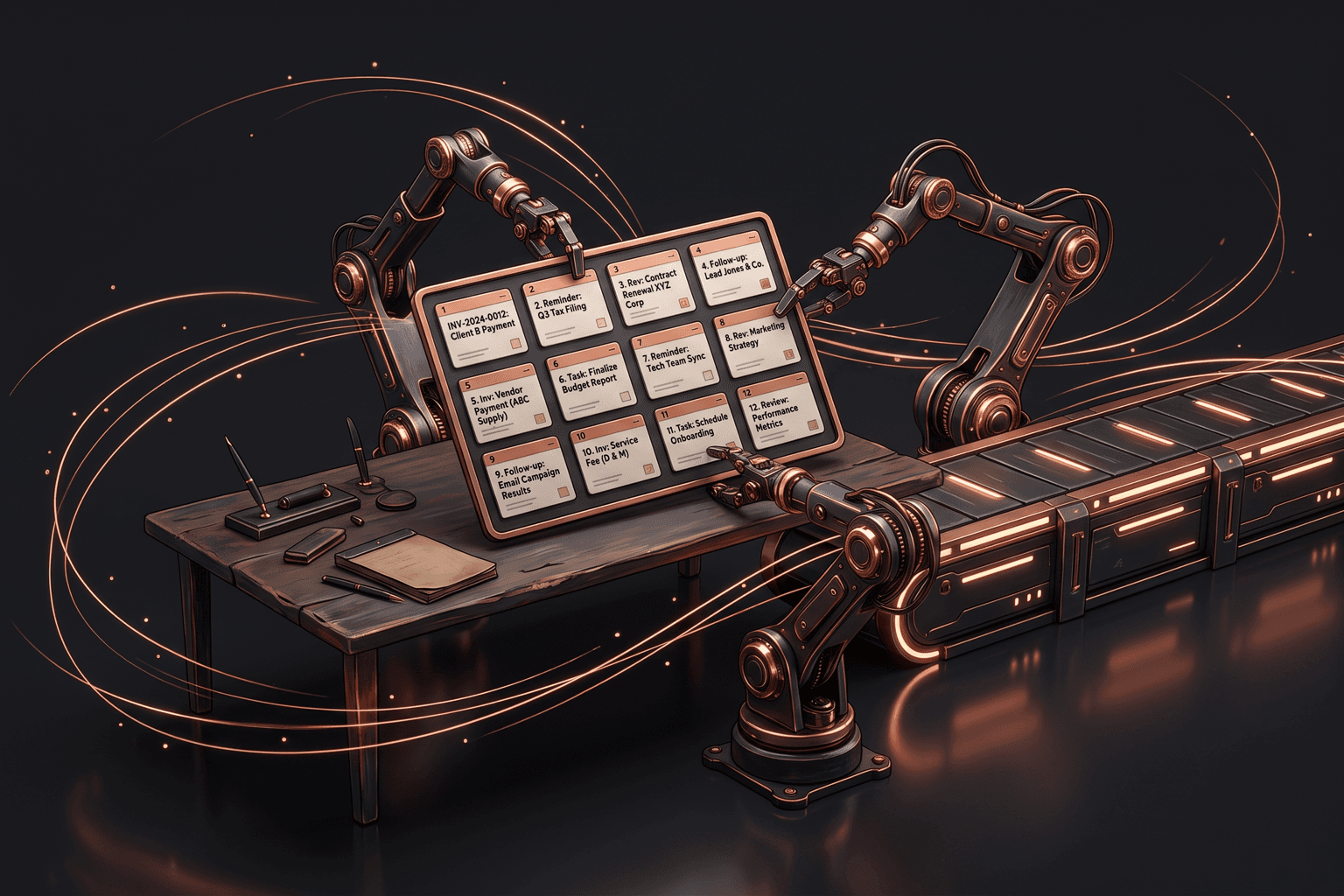
Every Fort Wayne business owner we talk to has the same problem: the work that makes money competes with the work that keeps the lights on. The HVAC dispatcher on Lima Road is chasing invoices between service calls. The dental office manager near Jefferson Pointe is confirming tomorrow's appointments by hand. The restaurant owner downtown is posting to Facebook at 11 p.m. after close.
None of that work requires a human, and the people doing it know it: in Zapier's survey of small and midsize businesses, 94% of SMB workers said they perform repetitive, time-consuming tasks in their role, and 88% of SMBs said automation lets them compete with larger companies.4 This post is the tactical follow-up to our Fort Wayne guide to AI — twelve specific tasks, roughly ordered by how fast they pay for themselves, with examples from the industries that dominate Allen County: home services, dental, restaurants, and the professional firms that serve them.
The 12 tasks, in the order most businesses should tackle them
- Appointment reminders — a dental office running 30 appointments a day loses $150-300 per no-show, and automated reminders reliably claw that back: a BMJ Open meta-analysis found digital notifications cut no-shows by about 25%, with multiple reminders (think 48 hours out, then 2 hours out) working significantly better than one.1
- Missed-call text-back — when a Fort Wayne homeowner with a dead furnace in January hits your voicemail, an instant "Sorry we missed you — how can we help?" text keeps them from dialing the next HVAC company on Google.
- Lead follow-up — Harvard Business Review's audit of 2,241 companies found firms that contacted a web lead within an hour were nearly seven times likelier to qualify it than those that waited even an hour longer.2 The next morning is exactly when a remodeler's Saturday-night inquiry usually gets handled.
- Review requests — a restaurant that automatically texts a Google review link two hours after a reservation builds the review count that decides who wins the "best pizza Fort Wayne" search. In BrightLocal's latest Local Consumer Review Survey, 92% of consumers said star ratings matter when choosing a business.3
- Quote follow-ups — HVAC and roofing quotes die in silence; an automatic day-3 and day-7 nudge revives deals your estimator forgot the moment he climbed back in the truck.
- Invoice chasing — service businesses routinely carry $10,000-40,000 in overdue receivables, and a polite automated reminder at 7, 14, and 30 days collects most of it without a single awkward phone call.
- Email triage — a manufacturing job shop's info@ inbox mixes RFQs, supplier invoices, and spam; automatic sorting and routing means the $50,000 quote request never sits behind a newsletter.
- Onboarding paperwork — new-patient intake forms, service agreements, and W-4s for seasonal restaurant hires can all be sent, e-signed, and filed automatically instead of scanned at the front desk.
- Timesheet collection — a landscaping or construction crew clocking in by text from the job site replaces the Friday scramble of deciphering paper timesheets before payroll runs.
- Inventory reorder alerts — a restaurant hitting its par level on chicken or a dental office running low on gloves gets an automatic alert (or a draft purchase order) before the shortage becomes a Saturday crisis.
- Report generation — the Monday-morning numbers a professional-services partner wants (billable hours, pipeline, cash position) can assemble themselves from your existing systems instead of eating an admin’s afternoon.
- Social posting — a month of restaurant specials or before-and-after HVAC install photos can be scheduled in one sitting, so marketing happens even during the summer rush.
How to pick your first three
Do not try to automate all twelve. Score each candidate task on three factors: frequency (how many times per week it happens), pain (how much your team hates it), and error cost (what one miss actually costs you in dollars). Multiply them together, even roughly, and the ranking usually surprises people.
A dental office might rate social posting as painful but low-frequency and low-error-cost — skip it for now. Appointment reminders happen 150 times a week and each miss costs $200. That is your number one. An HVAC company in peak season should weigh missed-call text-back heaviest: every unreturned call in July is a $300-800 job handed to a competitor.
- Pick tasks that happen at least daily — weekly tasks rarely justify the setup effort first.
- Pick tasks with a clear trigger (a call ends, an appointment is booked, an invoice ages) so the automation has something concrete to react to.
- Pick tasks where you can measure the before and after, like no-show rate or days-to-payment, so you know whether it worked.
What the first three look like, industry by industry
HVAC and home services: missed-call text-back, quote follow-ups, and review requests. Your busiest weeks are exactly when calls get missed and quotes go stale, so the automations earn the most during the July and January rushes when nobody has time to manage them. A two-truck shop that recovers one missed call a week has paid for the whole system.
Dental and medical offices: appointment reminders, onboarding paperwork, and review requests. Reminders attack the no-show problem directly, digital intake forms stop the clipboard-and-scanner ritual, and steady reviews matter because new patients moving to Fort Wayne pick a dentist largely from Google ratings and proximity — 68% of consumers now say they will only use a business rated four stars or higher.3
Restaurants: review requests, social posting, and inventory reorder alerts. Margins are too thin for an office manager, so the owner does everything — which means the marketing and ordering tasks are the first to slip during a busy weekend. Automating them is less about saving hours and more about making sure they happen at all.
Manufacturers and professional firms: email triage, report generation, and timesheet or intake workflows. The wins here are quieter but bigger per incident — one RFQ caught within the hour, or one billing period closed two days faster, is worth more than a month of restaurant review requests.
What automation actually costs in Fort Wayne
Pricing for business automation in Fort Wayne is more transparent than most owners expect. There are three realistic tiers, and the right one depends on how many of the twelve tasks you want handled and whether they need to talk to each other.
| Tier | Price | What you get | Best for |
|---|---|---|---|
| Quick win | $1,200 one-time | One automation built, tested, and handed off — reminders, review requests, or missed-call text-back | First-timers who want proof before committing |
| Autopilot | $3,500 + $300/mo | Several connected workflows (leads, reminders, reviews, invoicing) with ongoing monitoring and tuning | Service businesses with 5-25 staff and steady lead flow |
| Platform | $8,000+ | Custom system built around your operations — dispatch, inventory, reporting, integrations with legacy software | Manufacturers and multi-location operations |
The mistake that wrecks automation projects
The single most expensive mistake is automating a broken process. If your quote follow-up fails because three different people think someone else owns it, automation will faithfully deliver inconsistent messages at machine speed. We have seen a local contractor auto-text quote reminders to customers who had already accepted — because the accepted quotes never got marked in the CRM.
Fix the process first, on a whiteboard, in plain language: what triggers the message, who receives it, what it says, and what happens when they reply. Then automate that. The second mistake is over-automating the human moments — an automated 'sorry about your experience' reply to a one-star review reads exactly as hollow as it is. Automate the routine; keep the judgment.
Where to start this week
Print the list of twelve, circle the three that made you wince, and score them on frequency, pain, and error cost. If you want a second opinion on the scoring — or you want to know exactly what a $1,200 quick win would look like against your actual phone system and calendar — that is a 20-minute conversation, not a sales pitch.
Fort Wayne AI Agency service
Business Automation
Workflow and process automation that gives Fort Wayne businesses their week back.
Learn moreFrequently Asked Questions
What should a Fort Wayne business automate first?
Start with the task that happens most often and costs you money every time it slips. For most Allen County service businesses, that is either missed-call text-back or appointment reminders. Both take under two weeks to set up, cost around $1,200 as a one-time build, and pay for themselves the first month by recovering jobs and no-shows you were already losing.
How much does business automation cost in Fort Wayne?
Local pricing falls into three tiers. A single quick-win automation, like review requests or invoice reminders, runs about $1,200 one-time. A connected autopilot system covering several workflows is $3,500 up front plus $300 per month for monitoring and upkeep. A full custom platform built around your operations starts at $8,000. Most businesses start at tier one and expand once they see results.
Will automation replace my office staff?
No, and it should not. Automation handles the repetitive follow-ups your staff currently squeeze between phone calls: reminder texts, review requests, invoice nudges, data entry. Your front-desk person or dispatcher keeps the judgment calls, the upset customers, and the scheduling puzzles. In practice, Fort Wayne businesses we work with use the freed-up hours to answer more calls and book more work, not to cut staff.
How long does it take to set up these automations?
A single-task automation like appointment reminders or missed-call text-back typically goes live in one to two weeks, including testing against your real schedule and phone lines. A multi-workflow system takes four to six weeks because it has to connect your CRM, invoicing, and calendar. If a vendor promises everything in three days, they are skipping the testing that keeps automated messages from embarrassing you.
What is the biggest automation mistake small businesses make?
Automating a process that was already broken. If your quote follow-up is inconsistent because nobody owns it, automating it just makes the inconsistency faster. Fix the process on paper first: who gets contacted, when, with what message, and what happens when they reply. Then automate the fixed version. Ten minutes of process cleanup saves weeks of untangling an automation that faithfully reproduces your old chaos.
Sources & Further Reading
- BMJ Open: pmc.ncbi.nlm.nih.gov/articles/PMC5093388 · Using digital notifications to improve attendance in clinic: systematic review and meta-analysis (2016)
- Harvard Business Review: hbr.org/2011/03/the-short-life-of-online-sales-leads · The Short Life of Online Sales Leads (James B. Oldroyd, Kristina McElheran, and David Elkington, March 2011)
- BrightLocal: brightlocal.com/research/local-consumer-review-survey · Local Consumer Review Survey 2026 (2026)
- Zapier: zapier.com/blog/state-of-business-automation-2021 · The 2021 State of Business Automation (2021)
Put this to work in your business
Want help with this in your business?
Tell us what you're working on — a real person in Fort Wayne replies within one business day.