Can an AI Agent Actually Use Your Website? (2026)
The web is shifting from people reading your site to AI agents acting on it. A text-only version won’t help — here’s the free fix that will.

For twenty years, the job of a website was simple: help a person read it. They’d land on your page, skim your services, and — if you were lucky — pick up the phone. That’s changing. A growing share of visits now come from an AI agent acting on someone’s behalf: booking the appointment, adding the item to the cart, filling out the contact form. The question is no longer only *can AI read your site* — it’s *can an AI agent actually use it*.
A lot of owners heard the early advice — “make a text-only or markdown version of your site so AI can understand it” — and figured that was the fix. It isn’t. As a recent Search Engine Journal analysis argues, a stripped-down text copy removes the exact layer an agent needs to *do* anything: the buttons, the labeled form fields, the working links.1 The real fix is unglamorous and mostly free — clean, semantic HTML on your actual site. It’s the same structural work that has always helped humans using screen readers, and it happens to be what makes you usable in AI search too.
- AI agents don’t “see” your page the way a person does — they navigate the accessibility tree, the same structure a screen reader uses.
- A separate “text-only version for AI” strips out the action layer (forms, buttons, links), leaving an agent nothing to click.
- In the February 2026 WebAIM Million report, 95.9% of top home pages failed WCAG 2, and the three most common defects all block actions: unlabeled form inputs, empty links, and empty buttons.
- The fix is the semantic-HTML floor: real `<button>`, `<label>`, and `<form>` elements — not a new integration.
- You do not need WebMCP or an “AI version” of your site yet. Fix the floor first.
- Run a free accessibility check on your homepage and your top conversion page today, and fix the form labels first.
What does it mean for an AI agent to “use” your website?
When a person visits your site, their eyes do the work — they spot the orange “Request Service” button and click it. An AI agent has no eyes. It reads your page through the accessibility tree: a machine-readable outline of the page that the browser builds from your HTML. This is the same structure that screen readers have used for decades. If an element is a real button with a real label, it shows up in that tree as a button an agent can press. If it’s an unlabeled `<div>` styled to look like a button, it may not show up as anything at all.
That’s the whole game. The Search Engine Journal piece frames it usefully: sort everything on your page into what’s describable and what’s doable. Most of your content is describable — text an agent can read and summarize. Very little is doable — the forms and buttons that let an agent complete a task. A page can be perfectly readable and still be impossible to *act* on.
This is the natural next step beyond getting recommended in AI search. We’ve written before about what answer engine optimization is and how to build local pages AI systems can find and trust — that work is about whether an AI can *read and cite* you. This is about whether it can *act for* a customer once it’s on your page.

Why won’t a “text-only version for AI” fix it?
The advice to publish a markdown or text-only mirror of your site sounds reasonable — give the machines a clean copy they can parse. The problem is what gets left behind. Text is describable content. The doable parts — the booking widget, the “Add to cart” button, the contact form with its submit action — don’t survive the conversion to plain text.
As the SEJ analysis puts it bluntly: “Whatever a visitor could have pressed is gone by the time the machine receives it.” Worse, the text copy doesn’t fix the underlying page — it just hides the problem. A text-only version leaves the broken buttons and unlabeled inputs where they are and adds a file. You end up maintaining two versions, and the one that actually matters — the one where transactions happen — is still broken for both agents and the humans who use assistive technology.
The point isn’t academic. SEJ cites a 2026 research study in which AI agents completed 78.3% of tasks under normal conditions, but only 41.7% when navigating by keyboard alone and 28.3% when the same pages were viewed at high magnification — the exact conditions that expose weak markup. When structure breaks down, agents fail the task. This is closely related to a problem we’ve covered from the human side: why a website that gets visitors still doesn’t get calls. A form a person can’t figure out and a form an agent can’t parse usually have the same root cause.
How common are the defects that block AI agents?
Very. The WebAIM Million report, an automated accessibility scan of the top one million home pages, found that in its February 2026 snapshot, 95.9% of home pages had detectable WCAG 2 failures — up from 94.8% in 2025. The average page carried 56.1 errors, a 10.1% increase year over year.2 This isn’t a niche problem affecting a few sloppy sites; broken structure is the norm.
Three of the most common defects are the ones that directly block an agent from completing a task:
| Defect | Share of home pages (Feb 2026) | Why it blocks an AI agent |
|---|---|---|
| Form inputs with no label | 51% | The agent can’t tell which field is email vs. phone vs. message, so it can’t fill the form |
| Empty links | 46.3% | The link has no readable text, so the agent can’t know where it leads or whether to follow it |
| Empty buttons | 30.6% | The button has no accessible name, so the agent can’t identify or trigger the action |
| Any WCAG 2 failure | 95.9% (up from 94.8% in 2025) | Baseline: near-universal across the top million home pages |
A note on that 51% figure: it means roughly half of all home pages have *at least one* unlabeled input. Looked at another way, WebAIM found 33.1% of all form inputs across those pages were not properly labeled. Either way, the field where your customer types their phone number is very often invisible to a machine — which is a problem when the machine is the one trying to book the job.

How do you fix the “floor”?
The good news: the fix is mostly free, and it’s the same work that makes your site accessible to real people. SEJ calls it the floor — the baseline of native, semantic HTML — versus the ceiling, which is advanced agent tooling like WebMCP. “Fix the floor before buying a ceiling,” the author writes. Here’s what the floor actually means, and how to check yours.
- Run a free scan. Paste your homepage URL into WebAIM’s WAVE tool (there are also free Chrome, Firefox, and Edge extensions). Then run your single most important conversion page — your booking form, your contact page, your quote request. WAVE flags missing labels, empty links, and empty buttons in plain language.3
- Fix the form labels first. Every input field should have a real `<label>` tied to it. As the SEJ piece describes the floor: “A `<button>` is a button, a `<label>` names a field, a `<form>` has a target and a method.” If your “Request a Quote” form uses placeholder text instead of labels, an agent — and a screen reader — has no reliable way to know what goes where.
- Give links and buttons real names. An icon-only button (a bare magnifying glass, a lone arrow) needs an accessible name. A “click here” link that’s actually empty in the markup needs real, descriptive text. This is the difference between an agent that can press “Book Appointment” and one that sees an unnamed box.
- Make form feedback machine-readable. When a submission succeeds or fails, the confirmation or error needs to be something a machine can detect — not just a color change a sighted person notices. If your form silently succeeds, an agent can’t confirm it booked the job.
Google’s free Learn Accessibility course on web.dev walks through semantic HTML, when to use ARIA versus native elements, and accessible forms — it’s the reference to hand a developer.4 If your scan turns up dozens of structural failures rather than a handful, that can be a signal your site is due for more than a patch; our guide to website redesign vs. rebuild covers how to tell which one you need.
Do you need WebMCP or a separate “AI version” yet?
Here’s the honest answer most vendors won’t give you: no, not yet. WebMCP — a proposed standard where a page formally registers the functions an agent is allowed to call — is the ceiling. It’s genuinely interesting, and it will matter. But it sits on top of a working, semantic site. Bolting an agent-integration layer onto a site with 50-plus accessibility errors is building the second floor before the foundation is poured.
For nearly every Fort Wayne small business, the right move in 2026 is to get the floor right and stop there. That work pays off three ways at once: agents can act on your site, screen-reader users can too, and you strengthen the structural signals that help you in AI search. You don’t need to buy anything new to do it — which, if you’ve read our Fort Wayne website pricing guide, you know is our usual stance: fix what you have before you spend on what you don’t need. This is also a different question from whether AI bots should even be allowed to read your content, which we cover in should you charge AI bots to read your website.
What this looks like for a Fort Wayne business
Picture a Fort Wayne HVAC or plumbing site where the “Request Service” button is an unlabeled `<div>`. A homeowner clicks it just fine — but when Google’s AI or a customer’s assistant tries to book on their behalf, it can’t find the button at all. Or a New Haven restaurant whose reservation widget has fields with no labels: a person figures out which box is the date, but an agent trying to hold a table can’t. Or an Auburn retailer whose “Add to cart” is an empty button — invisible to the exact software that’s increasingly doing the shopping.
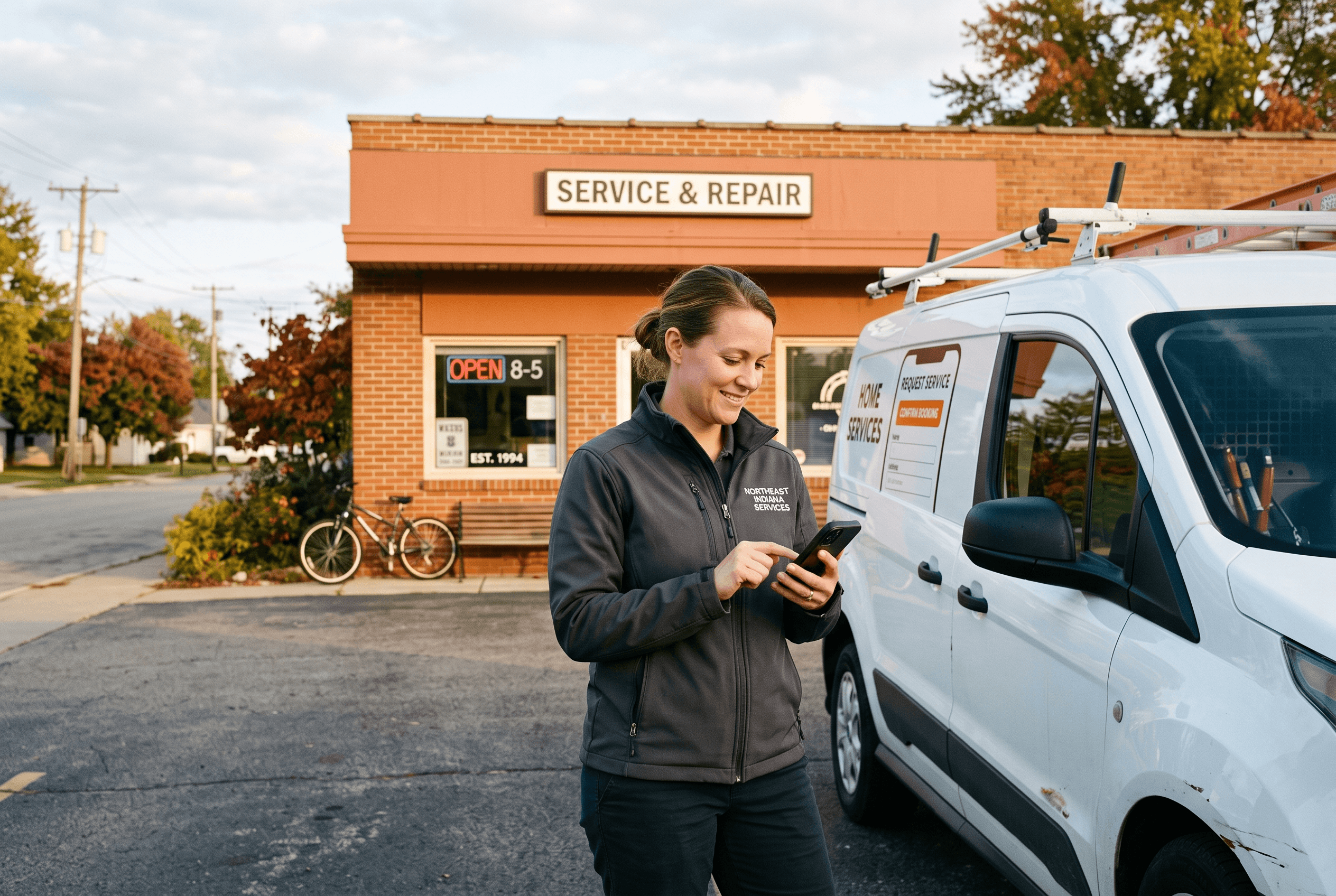
Here’s the honest local reality: most small-business sites in Allen County and Northeast Indiana were built years ago on a template or by a relative who was handy with computers, and nobody has ever run an accessibility check on them. Given that 95.9% of top home pages fail, the odds you’re in that group are high — and that’s not a knock on you, it’s the norm.
Get a second set of eyes on your site’s structure
If your accessibility scan came back with a wall of red and the fixes look like more than a DIY afternoon, that’s what our team is for. Our web development work is built on clean, semantic HTML — the floor that makes your site usable by humans, screen readers, and AI agents alike — and our web design approach keeps your booking and contact forms both conversion-ready and machine-readable. We’ll tell you honestly whether you need a few targeted fixes or a bigger rebuild. No upsell to an “AI integration” you don’t need yet.
Fort Wayne AI Agency service
Web Development
Full-stack development with Next.js and modern frameworks.
Learn moreFrequently Asked Questions
Can an AI agent really book an appointment on my website?
It can if your site’s structure allows it. AI agents complete tasks by reading your page’s accessibility tree and interacting with real buttons and labeled form fields. If your booking form uses proper <label>, <button>, and <form> elements, an agent can fill and submit it. If those are missing or unlabeled, the agent may not be able to find or complete the action.
Should I make a text-only or markdown version of my site for AI?
No. A text-only version strips out the action layer — the forms and buttons an agent needs to actually do something — and leaves the original page’s problems unfixed. It’s better to fix the semantic HTML on your real site, which helps AI agents, screen-reader users, and AI search all at once.
What’s the fastest free way to check if my site works for AI agents?
Run your homepage and your most important conversion page through WebAIM’s free WAVE tool at wave.webaim.org. It flags the exact defects that block agents — unlabeled form inputs, empty links, and empty buttons — in plain language, with no account required.
Do I need WebMCP for my Fort Wayne small business website?
Not yet. WebMCP is an advanced “ceiling” layer where a page registers functions an agent may call, and it only works well on top of a well-built, semantic site. For nearly every Fort Wayne small business in 2026, the priority is getting the semantic-HTML floor right first.
Does fixing this help with anything besides AI agents?
Yes. The same semantic HTML that lets AI agents use your site is what screen-reader users have always needed, and clean structure also strengthens the signals that help you appear in AI search and answer engines. One fix, three benefits.
Sources & Further Reading
- Search Engine Journal: searchenginejournal.com/the-text-only-version-of-your-website-strips-out-the-wrong-layer/590088 · The Text-Only Version Of Your Website Strips Out The Wrong Layer (September 25, 2026)
- WebAIM: webaim.org/projects/million · The WebAIM Million: 2026 Report on the Accessibility of the Top 1,000,000 Home Pages (February 1, 2026)
- WebAIM: wave.webaim.org · WAVE Web Accessibility Evaluation Tool
- Google web.dev: web.dev/learn/accessibility · Learn Accessibility
Put this to work in your business
Want help with this in your business?
Tell us what you're working on — a real person in Fort Wayne replies within one business day.