Record a Skill: Teach AI Your Office Busywork — Fort Wayne
A new wave of AI lets you record a routine once — narrating it like training a new hire — and hand the repetition off. Here’s what it actually does, and doesn’t.

For years, “automating” an office task meant one of two things: pay a developer to build something, or spend a weekend wiring up a tool like Zapier and hoping the pieces held together. A new approach — recording a skill — flips that around. Instead of describing a task in writing, you just *do* it once — on camera — while talking through what you’re doing, and the AI turns that demonstration into a routine it can run again.
Anthropic shipped exactly this on July 21, 2026, as a “Record a Skill” feature inside its Claude Cowork desktop app,1 and AI Weekly reports it’s aimed squarely at the operations, finance, support, and back-office roles least likely to sit down and write clean instructions for a bot.2 OpenAI shipped a comparable “Record & Replay” in its Codex desktop app about five weeks earlier, so this is now a real category, not a one-off. For a Fort Wayne business owner, the honest question isn’t “is this cool” — it’s “which of my repetitive tasks is this actually safe and worth handing off?” That’s what this guide is for.
- What it is: You screen-record yourself doing a task while narrating it, and the AI turns the demonstration into a reusable “skill” it can run again — no coding, no written prompts.
- Where it lives: Inside desktop apps (Claude Cowork on Windows and macOS), on paid plans starting around $20/month. It is not free and not on mobile.
- Best fits: Repetitive, rules-based back-office work — lead triage, report pulls, spreadsheet cleanup, and first-draft replies you still review.
- Do NOT record: Anything touching money movement, passwords, contracts, or customer personal information.
- The catch: It still needs a human checking its work, and it can break when the apps it clicks through change.
- Fort Wayne reality: For most local shops this is a “test one small task” moment, not a “rip out your systems” moment.
If you’re just starting to think about where AI fits in your operation, our Fort Wayne Small Business Guide to AI is the better first read — this piece assumes you’ve already got a repetitive task in mind and want to know whether recording it is the right tool for the job.
What does “record a skill” actually mean?
The old way to teach an AI a repeatable task was to write it a detailed instruction file — essentially a document spelling out every step. That works if you’re technical. Most front-desk staff and office managers never will.
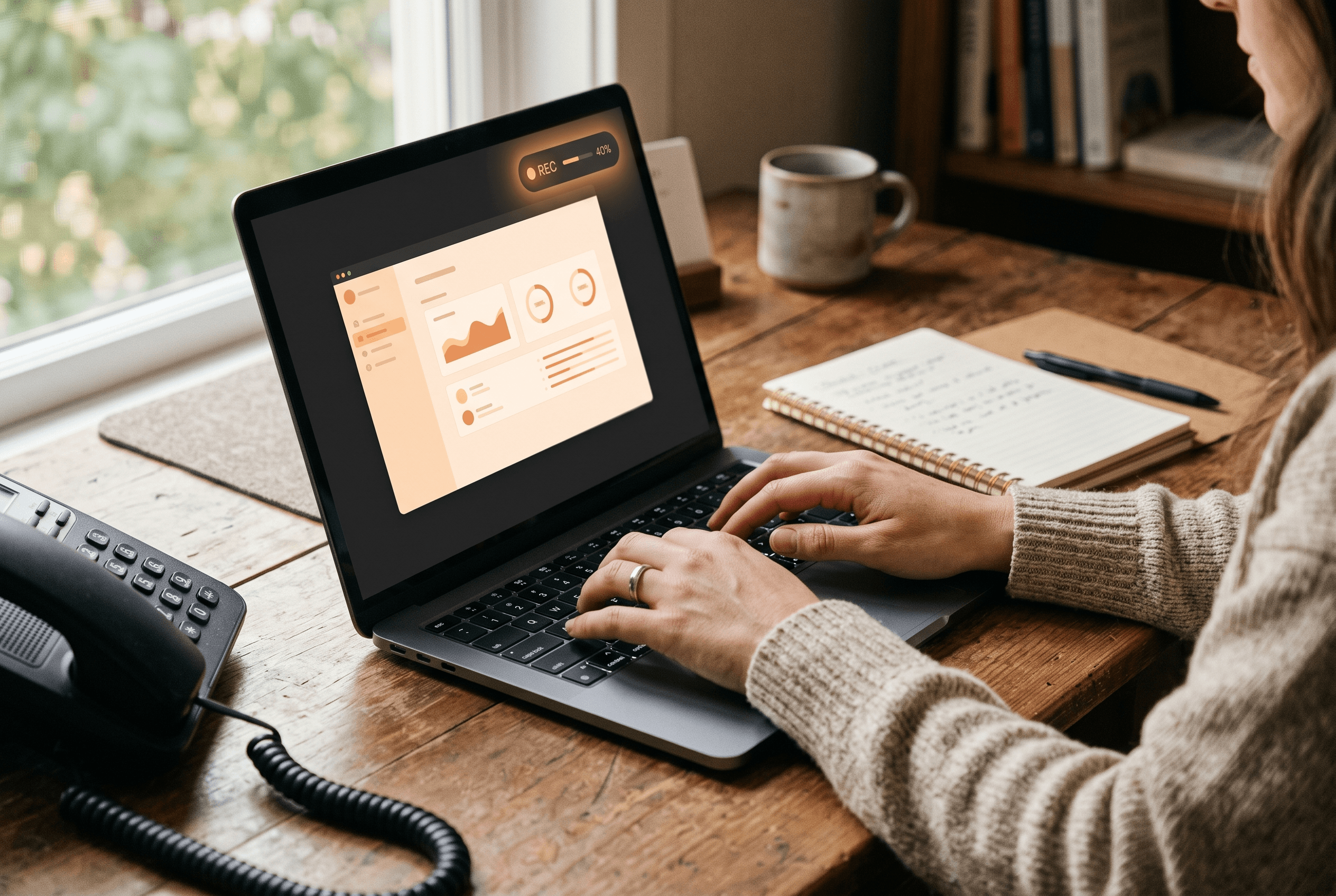
“Record a skill” replaces the writing with a demonstration. You start a recording, perform the task on your own screen — clicking through the same apps and tabs you always use — and talk through your reasoning as you go. According to Digital Applied’s breakdown, the system captures your screen activity, mouse clicks, keystrokes, and voice narration, then converts all of it into a saved, reusable skill.3 Their line for it is blunt: “the demo is the spec,” and “the spoken track is where the rules live.” In other words, the narration matters as much as the clicking — that’s where you explain *why* you skip a lead with no phone number, or which folder a report goes in.
It helps to be clear about what you’re actually creating. Anthropic describes a Skill as a package of instructions and resources the AI loads only when a task calls for it.4 So the result isn’t a clone of you and it isn’t a smarter AI — it’s a specific, task-shaped instruction set the AI can pick up and reuse. Think of it less like hiring and more like writing down a checklist so detailed the new person can follow it without asking questions — except you “wrote” it just by doing the job once.
How is this different from Zapier or hiring a developer?
This is the question that actually decides whether it’s worth your time. Recording a skill is not the only way to automate office work, and it isn’t always the best one. Here’s how we’d frame the three real options for a local business:
| Approach | Best when | Trade-off |
|---|---|---|
| Record a skill (demonstration) | The task is visual and repetitive, lives across a few apps, and is hard to describe in writing | Needs supervision; can break when app screens change |
| A tool like Zapier / Make / n8n | The task is a clean hand-off between apps that already connect (form → CRM → email) | Setup takes technical patience; brittle with messy, judgment-based steps |
| Custom-built automation | The task is core to your business, high-volume, and worth owning outright | Highest upfront cost; only pays off at scale |
Recording shines for the messy middle — the “I open three tabs, copy this into that, and skip the junk” routines that never fit neatly into a Zapier template. For a straightforward app-to-app hand-off, a traditional automation tool is often steadier. And when the process is genuinely core to how you make money, it may be worth owning outright — the same buy-versus-build logic we walk through in Custom Software vs. Off-the-Shelf. No single tool wins every time; the point is to match the task to the method.

Which office tasks are actually worth recording?
Digital Applied names four categories as strong early candidates, and they line up well with what a Fort Wayne office actually does every day: lead-routing triage, scheduled report pulls, data entry and spreadsheet normalization, and drafting first-response replies for a human to review. Notice the pattern — every one is repetitive, rules-based, and low-stakes if it needs a second look before anything goes out the door.
That’s the filter we’d apply to any task before recording it. Ask three questions:
- Do I do this the same way most days? If the steps change constantly, a recording won’t keep up.
- Can a mistake be caught before it costs anything? Drafting a reply you approve is safe; sending it automatically is not.
- Would I be comfortable writing these steps on a card for a new hire? If yes, it’s a good record-a-skill candidate.
If you want a longer, industry-specific starting list, our post on the 12 tasks Fort Wayne businesses should automate first breaks it down for HVAC shops, dental offices, and restaurants — and most of those tasks are exactly the kind you could now teach by demonstration instead of hiring it out. This also pairs naturally with customer-facing automation like an AI phone answering service: the phone bot catches the call, and a recorded skill can handle what happens to that lead afterward.
What should you never record?
This is the section most vendor write-ups skip, so we’ll be direct about it. Digital Applied flags a clear “do not record” list: exception handling, pricing decisions, credential management, payments, and customer personal information. Their rule of thumb is that “anything touching money transfers, account recovery, contracts, passwords, or customer PII” should never be part of a recording.
The reason is common sense once you see it. When you record your screen, everything visible gets captured — including a password you type or a customer’s full record on display. And a skill runs the steps you showed it whether or not the situation still fits; it doesn’t pause to judge whether *this* refund is legitimate the way a person would. That makes bookkeeping a good example of a task to handle carefully rather than hand off blindly — the categorizing and reconciling that AI accounting tools now do (see our look at QuickBooks AI bookkeeping cost) still belongs under a human’s eye, not a fire-and-forget recording.
There’s also an honesty point worth making: at launch, the reporting noted Anthropic had not published a dedicated help page covering recording retention, editing, or admin controls. So if you’re on a team plan and multiple people can create and share skills, treat the governance side as unsettled for now — decide internally who’s allowed to record what, and don’t assume the sensitive stuff is being scrubbed for you.
What does it cost, and who can use it?
This is not a free tool. Based on Digital Applied’s summary, recording skills lives on the paid tiers: roughly $20 a month for the entry (Pro) plan, $100–$200 a month for the higher-usage (Max) tier, and a team option in the range of $20–$125 per seat per month with a five-seat minimum. Free-plan users are excluded, and the feature is desktop-only — not in the web or mobile apps as of launch.
For a Fort Wayne business, that pricing is genuinely modest compared to a developer project or another full-time hire — but “cheap” isn’t the same as “free ROI.” The real cost is the time to record tasks well, review the output for a while until you trust it, and re-record when an app you rely on changes its screens. Our take: start with a single, boring, high-repetition task, run it in parallel with a human for a couple of weeks, and only then decide whether it’s earning its keep. If it saves your office manager the first slice of every morning and never touches anything sensitive, it’s an easy win. If you find yourself babysitting it, that task probably wanted a proper tool or a human all along.

What this means for a Fort Wayne business
Picture the front desk at a Fort Wayne dental office or an HVAC shop off Coliseum Boulevard. Every morning, someone re-types the overnight web leads and appointment requests into two or three different systems before the phones even get busy. It’s not hard work — it’s just repetitive, and it eats the calmest part of the day.
That’s the exact shape of task this technology was built for: same steps most mornings, easy to spot a mistake, nothing sensitive if it’s set up right. An owner in Allen County could record that routine once — narrating “skip anything without a phone number, flag the emergencies” — and hand the repetition off, keeping a person on the review step. The honest framing for Northeast Indiana owners is the same one we give for most new AI tools: this is a “test one task and watch it” moment, not a “replace your front desk” moment. The businesses that get burned are the ones that automate a process they never really understood; the ones that win already knew their routine cold and simply stopped doing it by hand.
Ready to hand off the busywork — carefully?
If you’ve got a repetitive office routine in mind and you’re not sure whether to record it, buy a tool, or leave it alone, that’s exactly the call we help Fort Wayne businesses make. Our business automation services start with mapping which of your tasks are safe, worth it, and ready to hand off — and which ones still need a human. When a task genuinely warrants something more custom than a recording, our broader AI solutions work covers that too. No pressure to automate everything: sometimes the honest answer is that a task is fine as it is. Tell us what’s eating your team’s morning and we’ll help you decide which of those three paths fits.
Fort Wayne AI Agency service
Business Automation
Workflow and process automation that gives Fort Wayne businesses their week back.
Learn moreFrequently Asked Questions
Do I need to know how to code to record a skill?
No. That’s the whole point of the demonstration approach — you perform the task the way you normally would and narrate it out loud, and the AI builds the reusable skill from what it saw and heard. It’s designed for operations, finance, and front-desk staff who would never hand-write instructions for a bot.
Is “record a skill” free to use?
No. It runs on paid desktop plans, starting around $20 per month for the entry tier, with higher usage and team options costing more, according to Digital Applied’s breakdown. Free-plan users don’t have access, and it isn’t available on mobile as of its July 2026 launch.
Should a Fort Wayne business let it handle payments or customer records?
No — you should not let it. The guidance from early coverage is clear: don’t record anything touching money transfers, passwords, contracts, or customer personal information. A recording captures whatever is on your screen and repeats steps without human judgment, so sensitive or high-stakes tasks belong with a person.
How is this different from Zapier?
Zapier and similar tools connect apps through pre-built integrations and are great for clean, predictable hand-offs. Recording a skill is better for messy, visual routines that are hard to describe in writing — the “open these tabs, copy this, skip the junk” work. For a straightforward app-to-app trigger, a traditional tool is often the steadier choice.
Will a recorded skill keep working if my software changes?
Not always. Because the skill follows the screen steps you demonstrated, it can break when an app you use redesigns its layout or moves buttons. Plan to review its output regularly and re-record the task if something stops working — this is a tool that needs light supervision, not a set-and-forget system.
Sources & Further Reading
- Anthropic: claude.com/product/cowork · Claude Cowork (2026)
- AI Weekly: aiweekly.co/alerts/anthropic-ships-record-a-skill-in-claude-cowork-desktop-app · Anthropic Ships ‘Record a Skill’ in Claude Cowork Desktop App (July 2026)
- Digital Applied: digitalapplied.com/blog/claude-record-a-skill-train-agents-by-demonstration-2026 · Claude’s Record a Skill: Train Agents by Demonstration (July 2026)
- Anthropic: claude.com/blog/skills · Introducing Agent Skills (2026)
Put this to work in your business
Want help with this in your business?
Tell us what you're working on — a real person in Fort Wayne replies within one business day.